
Dynamic component creation with Angular
The article explains how to create and control Angular components dynamically at runtime, rather than relying on static components that are toggled visible/hidden in the DOM.

Alain Chautard
December 18, 2025
Recently, I’ve covered different architecture options to control a dialog component. All these options had the component in place in the DOM and used some external trigger to show or hide the component’s template.
But what about creating a component and rendering it on demand? Of course, we have lazy-loading and the @defer block, but what if we want to decide which component to display at runtime, or even better, can replace that component on-demand with Typescript code?
Enter ViewContainerRef
A view container is a place in Angular’s component tree where HTML content can be displayed. We can access and interact with such a view container by injecting a reference to it — the ViewContainerRef:
viewContainer = inject(ViewContainerRef);
The ViewContainerRef allows us to create, remove, or even move views within that container. In other words, you can use it to add DOM elements, remove them, or sort them.
For instance, if I wanted to create a new dynamic component and add it to the view, here is how I could do it:
this.viewContainer.createComponent(DialogComponent);
The above code will add DialogComponent as a new component at the end of the current view container. This means that the new component ends up as a sibling, not a child, of the current component (or directive) generating it.
And yes, I said it, what makes it powerful is that you could use such a technique inside a directive, where @defer or @if aren’t available to control dynamic loading of a component.
How to control where to render our dynamic component?
The default behavior of creating a new sibling might not be what you’re looking for. If you want to add your dynamic component in a specific location, you can add an ng-container in your template to specify that location:
<ng-container #container></ng-container>

Then, you can select that specific view container in TypeScript as follows:
container = viewChild.required("container", {read: ViewContainerRef});
And now we can generate our dynamic component in this container using the same API:
this.container.createComponent(DialogComponent);
What about component configuration with inputs?
If our dynamic component has some input values, we can pass them while creating the component using an array of bindings:
 this.viewContainer.createComponent(
      DialogComponent,
      {bindings: [
          inputBinding("isOpen", () => true),
          inputBinding("title", () => "Hello")
      ]}
    );
The above code will set the isOpen input to true and the title input to “Hello” in our DialogComponent.
This also works with outputs, and in this example, I’m using the onClose event from our dialog to remove the component from the view container:
  this.viewContainer.createComponent(
      DialogComponent,
      {bindings: [
          inputBinding("isOpen", () => true),
          inputBinding("title", () => "Hello"),
          outputBinding("onClose", () => this.viewContainer.clear())
      ]}
    );
  }
Content projection is also possible when creating a dynamic component. The only difference is that the code creating the component is all in TypeScript rather than using the Angular template syntax.
My example results in the following experience at runtime — adding and removing the component from the DOM and customizing it with inputs and outputs:
Press enter or click to view image in full size
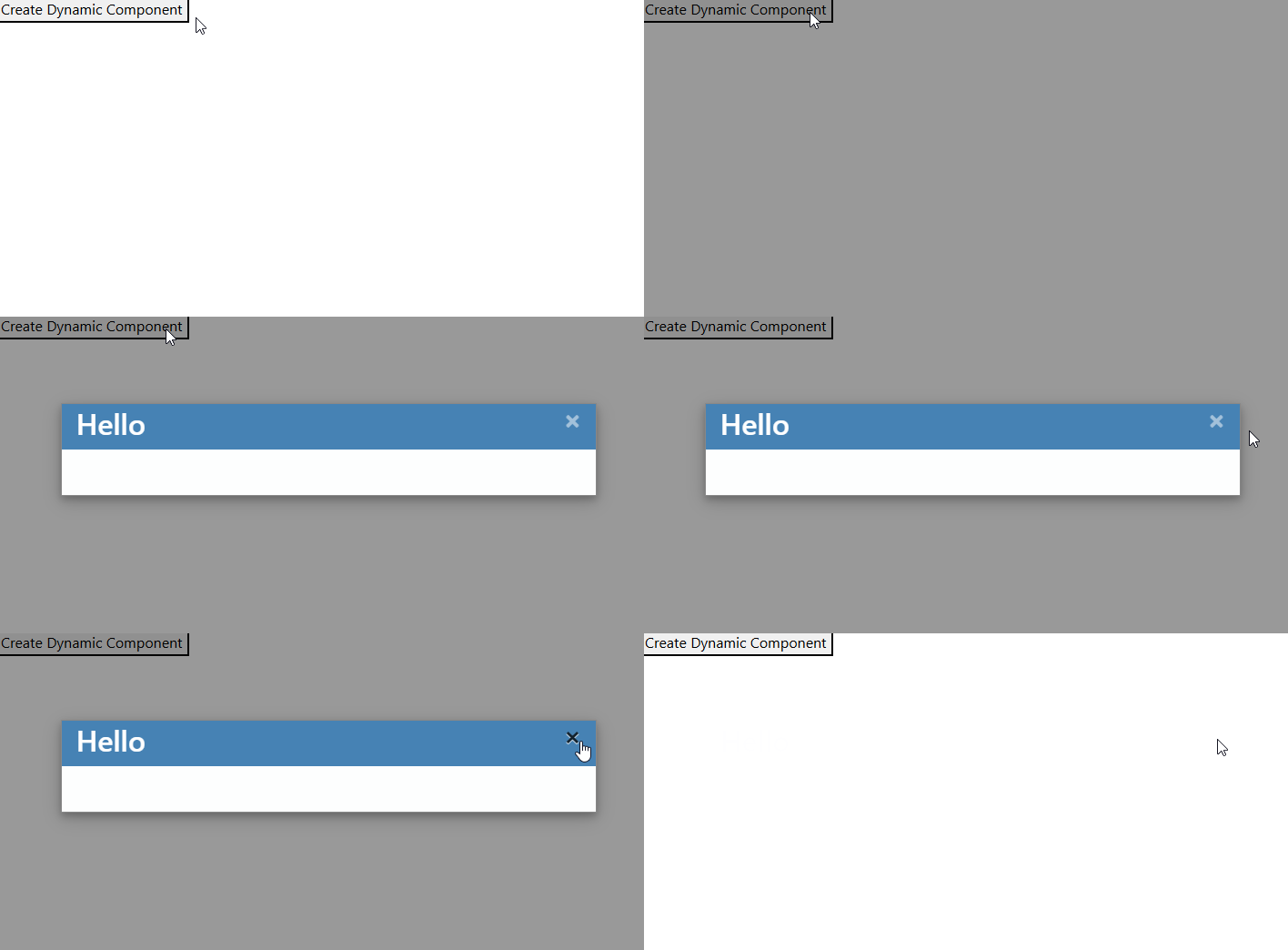
Here is the entire code for the dynamic creation (and removal) example:
import {Component, inputBinding, outputBinding, viewChild, ViewContainerRef} from '@angular/core';
import {DialogComponent} from './dialog/dialog.component';

@Component({
    selector: 'app-root',
    template: `
      <button (click)="createDynamic()">Create Dynamic Component</button>
      <ng-container #container></ng-container>
  `
})
export class AppComponent {

  container = viewChild.required("container", {read: ViewContainerRef});

  createDynamic() {
    this.container().createComponent(
      DialogComponent,
      {bindings: [
          inputBinding("isOpen", () => true),
          inputBinding("title", () => "Hello"),
          outputBinding("onClose", () => this.container().clear())
      ]}
    );
  }
}
More certificates.dev articles
Get the latest news and updates on developer certifications. Content is updated regularly, so please make sure to bookmark this page or sign up to get the latest content directly in your inbox.

Iterator Helpers: Lazy Pipelines in JavaScript
ES2025 added map, filter, take and drop to iterators. Learn how lazy pipelines skip intermediate arrays, handle infinite sequences, and where they do not help.

Martin Ferret
Oct 6, 2026

Debugging Suspense with the React Suspense Panel
The Suspense panel in React Developer Tools shows which boundary suspended, what it was waiting for, and the order your page revealed its content.

Aurora Scharff
Oct 1, 2026

Building Reusable Validators in Angular Signal Forms
Learn how to create reusable custom validators with Angular Signal Forms, with practical examples for building flexible and maintainable form validation.
Alain Chautard
Sep 29, 2026