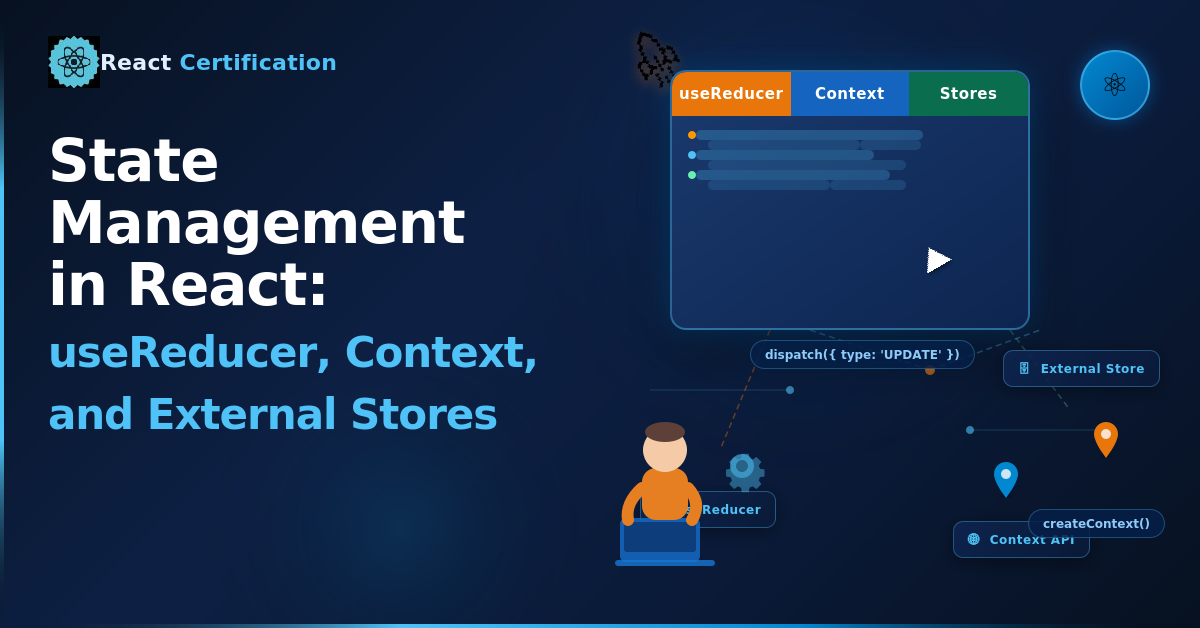
State Management in React: useReducer, Context, and External Stores
Learn when to move beyond useState in React. This guide covers useReducer, the split-context pattern, external stores like Zustand, server state with TanStack Query, and useSyncExternalStore.

Aurora Scharff
June 4, 2026
state-management-in-react.md
useState works well for simple, local state. But as your components grow, you start running into cases where it falls short: state with many related fields, updates that depend on previous state, or values that need to be shared across the tree. This post covers when to reach for useReducer, how to combine it with Context, when an external store like Zustand makes more sense, and how useSyncExternalStore connects external stores to React's rendering.
For patterns on structuring useState itself (grouping related values, avoiding contradictions, deriving state), see Structuring State in React: 5 Essential Patterns.
When useState Isn't Enough
Consider a checkout form with several related fields and multiple ways to update them:
function CheckoutForm() {
  const [name, setName] = useState('');
  const [email, setEmail] = useState('');
  const [address, setAddress] = useState('');
  const [city, setCity] = useState('');
  const [zip, setZip] = useState('');
  const [shippingMethod, setShippingMethod] = useState('standard');
  const [promoCode, setPromoCode] = useState('');
  const [status, setStatus] = useState('idle');
  // ...10+ handlers that each update some combination of these
}
Every handler has to know which setter to call and in what order. If the next state depends on the current state (e.g., applying a promo code changes the shipping options), the logic gets spread across multiple handlers with no single place to understand all the possible transitions.
This is where useReducer helps.
useReducer
useReducer centralizes your state update logic into a single function. Instead of calling different setters in different handlers, every update goes through the reducer:
const initialState = {
  name: '',
  email: '',
  items: [],
  status: 'idle',
};

function checkoutReducer(state, action) {
  switch (action.type) {
    case 'update_field':
      return { ...state, [action.field]: action.value };
    case 'add_item':
      return { ...state, items: [...state.items, action.item] };
    case 'remove_item':
      return { ...state, items: state.items.filter(i => i.id !== action.id) };
    case 'submit':
      return { ...state, status: 'submitting' };
    case 'submit_success':
      return { ...state, status: 'success' };
    case 'submit_error':
      return { ...state, status: 'error' };
    default:
      return state;
  }
}
Then in your component:
function CheckoutForm() {
  const [state, dispatch] = useReducer(checkoutReducer, initialState);

  function handleFieldChange(field, value) {
    dispatch({ type: 'update_field', field, value });
  }

  async function handleSubmit() {
    dispatch({ type: 'submit' });
    try {
      await submitOrder(state);
      dispatch({ type: 'submit_success' });
    } catch {
      dispatch({ type: 'submit_error' });
    }
  }
  // ...
}
All the state transitions live in one place. You can read the reducer to understand every possible way the state can change, which makes debugging much easier.
Reducer Rules
A reducer must be pure:
- No side effects. No API calls, no
localStorage, no logging inside the reducer. It receives state and an action, and returns new state. That's it. - No mutations. Always return a new object. Never modify
statedirectly. - Handle unknown actions. The
defaultcase should returnstateunchanged so unrecognized actions don't silently break things.
Side effects like API calls belong in your event handlers or effects, not in the reducer. For more on purity in React, see Component Purity and StrictMode in React.
useState vs useReducer
Use useState when:
- The state is simple: a boolean, a string, a single value
- Updates are straightforward and independent of each other
- The state is only needed in one component
Use useReducer when:
- You have multiple related state values that change together
- The next state depends on the previous one
- You want a single place to see all possible state transitions
- The update logic is complex enough that spreading it across handlers becomes confusing
For a simple toggle, useState(false) is the right call. For a checkout form with ten fields and multiple submission states, useReducer gives you structure.
Scaling Up with useReducer + Context
useReducer keeps state logic organized within a component. But what if many components at different levels of the tree need access to that state?
The React docs recommend combining useReducer with Context. The pattern uses two separate contexts: one for state, one for dispatch.
const CartStateContext = createContext(null);
const CartDispatchContext = createContext(null);
Why two contexts? If you put both state and dispatch in a single context value, every consumer re-renders whenever state changes, even components that only call dispatch. Splitting them lets React skip re-renders for dispatch-only consumers.
function cartReducer(state, action) {
  switch (action.type) {
    case 'add':
      return { ...state, items: [...state.items, action.item] };
    case 'remove':
      return { ...state, items: state.items.filter(i => i.id !== action.id) };
    case 'clear':
      return { ...state, items: [] };
    default:
      return state;
  }
}

function CartProvider({ children }) {
  const [state, dispatch] = useReducer(cartReducer, { items: [] });

  return (
    <CartStateContext value={state}>
      <CartDispatchContext value={dispatch}>
        {children}
      </CartDispatchContext>
    </CartStateContext>
  );
}
Components that only dispatch actions (like an "Add to Cart" button) consume only CartDispatchContext. Components that only read state (like a cart badge showing the item count) consume only CartStateContext. This avoids unnecessary re-renders: dispatching an action doesn't re-render components that only need the dispatch function.
function AddToCartButton({ item }) {
  const dispatch = use(CartDispatchContext);
  return (
    <button onClick={() => dispatch({ type: 'add', item })}>
      Add to Cart
    </button>
  );
}

function CartBadge() {
  const state = use(CartStateContext);
  return <span>{state.items.length}</span>;
}
Here, use reads the context value. This pattern works well when you have structured client state that many components need to read or update, without reaching for a third-party library.
When to Use an External Store
useReducer + Context has limits. Context re-renders every consumer when the value changes, even if they only use a small slice of it. For large-scale apps where many components share state and performance matters, an external store like Zustand is a better fit.
Zustand gives you a store with selectors, so components only re-render when the specific data they use changes:
import { create } from 'zustand';

const useCartStore = create((set) => ({
  items: [],
  add: (item) => set((state) => ({ items: [...state.items, item] })),
  remove: (id) => set((state) => ({ items: state.items.filter(i => i.id !== id) })),
  clear: () => set({ items: [] }),
}));
function CartBadge() {
  const count = useCartStore((state) => state.items.length);
  return <span>{count}</span>;
}

function AddToCartButton({ item }) {
  const add = useCartStore((state) => state.add);
  return <button onClick={() => add(item)}>Add to Cart</button>;
}
CartBadge only re-renders when items.length changes. AddToCartButton only re-renders when the add function reference changes (which in Zustand, it doesn't). No provider component needed.
Client State vs Server State
Everything above deals with client state: UI toggles, form inputs, shopping carts, things that live entirely in the browser. But a lot of what people manage with useState + useEffect is actually server state: data that lives on your backend and needs to be fetched, cached, and kept in sync.
Server state has different problems. You need to handle loading and error states, cache responses so you don't refetch on every render, invalidate stale data, and keep the UI up to date when the backend changes. Trying to do all of this with useState and useEffect leads to a lot of boilerplate and edge cases.
TanStack Query is built for this. It handles caching, background refetching, deduplication, and stale-while-revalidate out of the box:
import { useQuery } from '@tanstack/react-query';

function Dashboard() {
  const { data, isLoading, error } = useQuery({
    queryKey: ['dashboard-stats'],
    queryFn: fetchDashboardStats,
  });

  if (isLoading) return <Spinner />;
  if (error) return <ErrorMessage error={error} />;
  return <StatsGrid stats={data} />;
}
TanStack Query caches the result, serves it instantly on subsequent renders, and refetches in the background when the data goes stale. If multiple components use the same query key, the request is deduplicated.
The key insight is that client state and server state are different problems that need different tools. Don't reach for Zustand or useReducer to manage API data, and don't reach for TanStack Query to manage a form's open/closed state.
useSyncExternalStore
If you're building a library or subscribing to something outside of React (a browser API, a third-party store, a WebSocket), useSyncExternalStore is the hook that safely connects it to React's rendering.
The problem it solves: during concurrent rendering, React may pause and resume renders. If your component reads from an external source using useEffect and useState, the value it reads at the start of a render might change before that render finishes. This creates tearing, where different parts of the UI show inconsistent data from the same source.
useSyncExternalStore prevents this by guaranteeing synchronous reads that are consistent within a render:
import { useSyncExternalStore } from 'react';

function useMediaQuery(query) {
  const subscribe = (callback) => {
    const mql = window.matchMedia(query);
    mql.addEventListener('change', callback);
    return () => mql.removeEventListener('change', callback);
  };

  const getSnapshot = () => window.matchMedia(query).matches;

  return useSyncExternalStore(subscribe, getSnapshot);
}
function Layout() {
  const isMobile = useMediaQuery('(max-width: 768px)');
  return isMobile ? <MobileNav /> : <DesktopNav />;
}
The hook takes two arguments:
subscribe: A function that registers a callback for when the external value changes. It must return an unsubscribe function.getSnapshot: A function that returns the current value. Must return the same reference if the value hasn't changed.
You probably won't use useSyncExternalStore directly in application code very often. It's mainly for library authors and for subscribing to browser APIs. But if you're reaching for useEffect + useState to subscribe to something external, this is the correct alternative. For more on when you can avoid effects entirely, see the React docs on You Might Not Need an Effect.
Conclusion
Each tool in this post exists because the previous one hits a limit. useState works until your update logic gets complex, then useReducer centralizes it. When multiple components need that state, Context with split contexts shares it. When Context re-renders become a bottleneck, Zustand lets components subscribe to just the slices they need. Server state is a different problem — use TanStack Query. And useSyncExternalStore bridges React with anything outside of it.
Keep each piece of state as small and local as possible, and only reach for more powerful tools when you have a concrete reason to.
Sources:
- React Documentation >
useState - React Documentation >
useReducer - React Documentation > Extracting State Logic into a Reducer
- React Documentation > Scaling Up with Reducer and Context
- React Documentation > Passing Data Deeply with Context
- React Documentation >
useSyncExternalStore - React Documentation >
use - React Documentation > You Might Not Need an Effect
- TanStack Query
- Zustand
More certificates.dev articles
Get the latest news and updates on developer certifications. Content is updated regularly, so please make sure to bookmark this page or sign up to get the latest content directly in your inbox.

Structuring a Large Vue App: A Feature-Based Folder Architecture
Why the default components/composables/stores split breaks down at scale, and how a feature-first structure fixes it.

Reza Baar
Sep 9, 2026
React's New browser API: Rendering Components Only in the Browser
Learn how React’s new Canary browser API uses Suspense to render browser-only components without hydration mismatches or mounted-state workarounds.
Aurora Scharff
Sep 3, 2026

Building an MCP Server in Your Nuxt App
Building an MCP Server in Your Nuxt App with the MCP Toolkit. How to expose your Nuxt app's data and actions to AI assistants using @nuxtjs/mcp-toolkit, with tools, resources, and prompts.
Reza Baar
Sep 2, 2026