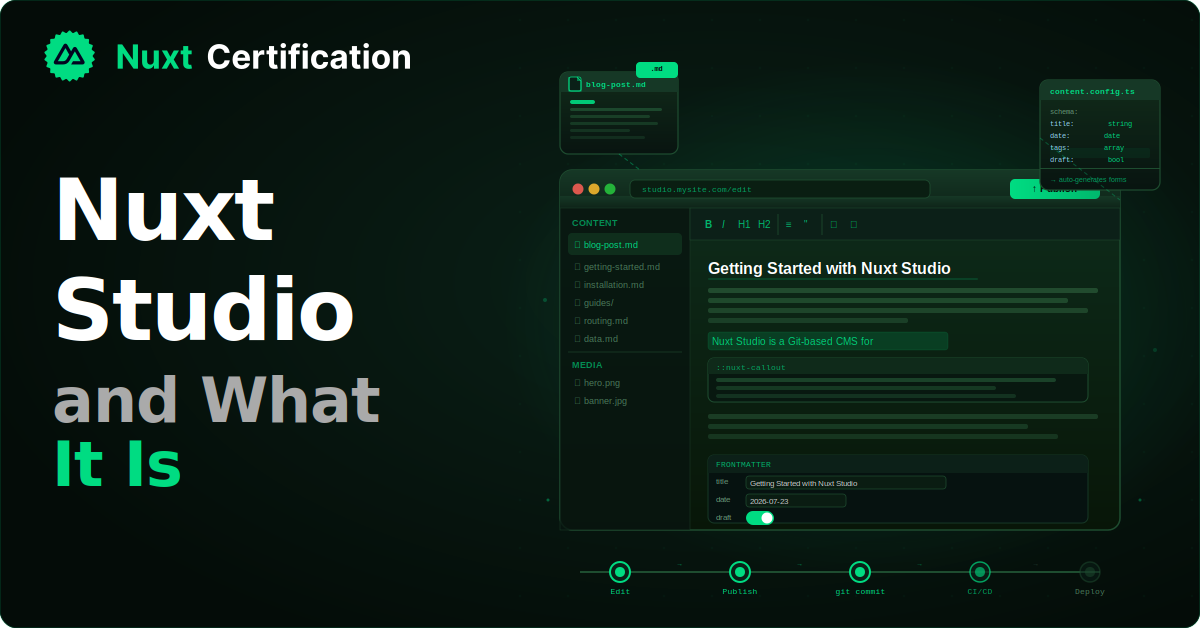
Nuxt Studio and What It Is
A look at Nuxt Studio, the open-source visual CMS for Nuxt Content, how it works with Git, and when it's the right fit.

Reza Baar
July 22, 2026
If you build content sites with Nuxt Content, you've probably hit the same wall: developers are happy editing markdown in their editor, but non-technical teammates don't want to touch Git or markdown syntax. Nuxt Studio is the Nuxt team's answer. It's an open-source, self-hosted module that adds a visual editing interface directly on your production site, with every change committed back to Git. In this post, we'll look at what it is, how it works, and when it makes sense.
The Short Version
Nuxt Studio is a Git-based CMS for Nuxt Content websites. It gives content editors a Notion-like visual editor that runs on your live site. When they publish, the changes commit directly to your GitHub or GitLab repository, and your normal CI/CD pipeline rebuilds and deploys the site. Git stays the source of truth. There's no separate database and no external content service.
A key piece of context: Nuxt Studio used to be a hosted platform at nuxt.studio. As of early 2026, the Nuxt team released it as a free, open-source, self-hosted module under the MIT license, and the legacy hosted platform is being sunset. So when you read about "Nuxt Studio" today, it means the module you install in your own project, not a SaaS product.
How It Fits with Nuxt Content
Studio isn't a standalone CMS. It's a layer on top of Nuxt Content, which is the file-based content system that reads markdown, YAML, and JSON from your content/ directory. Content lives as files in your repo. Nuxt Content turns those files into a queryable data layer. Studio adds a visual interface for editing those same files.
This matters because it means your deployed site is unaffected by whether you use Studio or not. The content is just files in Git. Studio is one way to edit them; opening the files in VS Code is another. Both produce the same commits.
Studio requires Nuxt Content v3, which introduced SQL-based storage, collections, and a preview API specifically to support better Studio integration.
Installing It
You add Studio as a module alongside Nuxt Content:
npx nuxi module add @nuxt/studio
// nuxt.config.ts
export default defineNuxtConfig({
  modules: ['@nuxt/content', '@nuxt/studio'],
});
If you're migrating from the legacy hosted platform, the process is mostly: install the module, configure your authentication provider, and remove the old preview key from your Nuxt Content config. Because content always lived in Git, the migration doesn't touch your deployed content.
What the Editing Experience Looks Like
The editing experience is built around a few pieces, each aimed at a different kind of content.
The visual editor. This is the Notion-like part, built on TipTap. Editors write prose naturally, and Studio generates the correct MDC (Markdown Components) syntax behind the scenes. They can insert Vue components, edit component props through a visual interface, and drag-and-drop content blocks. A non-technical editor never sees raw markdown unless they want to.
Form-based frontmatter editing. Page metadata (the frontmatter at the top of a markdown file) is edited through auto-generated forms rather than raw YAML. The forms are generated from your Nuxt Content collection schema, so if your schema says a post has a title, publishedAt, and tags, the form shows exactly those fields with the right input types.
YAML and JSON editing. For structured data files, Studio generates forms the same way, so editors can manage small data files without hand-writing YAML or JSON.
A code editor. For editors who do want to touch the raw content, Studio includes a Monaco editor (the same editor that powers VS Code) for markdown with MDC, YAML, and JSON.
A media library. A centralized interface for managing files in your public directory: browse folders, upload files, and insert images directly into content.
The Schema Connection
The part that makes Studio genuinely useful is how it ties into your content schema. In Nuxt Content v3, you define collections with a schema:
// content.config.ts
import { defineContentConfig, defineCollection, z } from '@nuxt/content';

export default defineContentConfig({
  collections: {
    blog: defineCollection({
      type: 'page',
      source: 'blog/**/*.md',
      schema: z.object({
        title: z.string(),
        description: z.string(),
        publishedAt: z.date(),
        tags: z.array(z.string()),
        draft: z.boolean().default(false),
      }),
    }),
  },
});
Studio reads this schema and generates editing forms from it automatically. The title becomes a text field, publishedAt becomes a date picker, tags becomes an array input, draft becomes a toggle. You define the shape of your content once, and both your app's type safety and Studio's editing UI come from it.
How Publishing Works
The publishing flow is what makes Studio a "Git-based" CMS rather than a traditional one:
- An editor makes changes in the visual interface on the live site.
- Draft changes are stored locally in the browser until the editor is ready.
- When they publish, Studio commits the changes directly to GitHub or GitLab.
- Your CI/CD pipeline detects the commit and rebuilds and deploys the site.
Every content change is a Git commit, which means content has the same history, review, and rollback capabilities as code. If two editors change things at the same time, the second one to publish gets a merge conflict notification, handled through Git's normal model.
Authentication and Access
Studio secures access through OAuth. It supports GitHub, GitLab, and Google out of the box, and provides utilities for custom auth flows if you need password, SSO, or LDAP:
// nuxt.config.ts
export default defineNuxtConfig({
  modules: ['@nuxt/content', '@nuxt/studio'],
  studio: {
    // Configure your OAuth provider
    auth: {
      github: {
        // OAuth app credentials
      },
    },
  },
});
Access control leans on your Git provider. For GitHub, you can limit who can edit through organization membership or repository collaborator status. For GitLab, project member permissions. Custom auth implementations can enforce their own role-based rules.
A Deployment Detail
Studio needs server-side rendering for its authentication route. That doesn't mean your whole site has to be SSR. You can pre-render your content pages and keep SSR only for the Studio route using hybrid rendering:
// nuxt.config.ts
export default defineNuxtConfig({
  nitro: {
    prerender: {
      routes: ['/'],
      crawlLinks: true,
    },
  },
});
This pre-renders your homepage and crawls linked pages to generate them statically, while the Studio route stays dynamic for authentication. It deploys to any platform that supports SSR: Vercel, Netlify, or a Node server.
Where It Fits (and Where It Doesn't)
Studio is a strong fit when you're already using Nuxt Content and you want non-technical teammates to edit content without learning Git. Documentation sites, blogs, marketing sites, and changelogs are the sweet spot. The Git-based model means content changes flow through the same review and deployment pipeline as code, which teams that value that workflow will appreciate. And being free and self-hosted removes cost and vendor-lock-in concerns.
It's less of a fit when you need things a Git-based CMS structurally doesn't do well. If you have thousands of content items with heavy relational structure, advanced media handling, or need content editors making changes hundreds of times a day with instant publish (no build step), a database-backed headless CMS may serve you better. Framework-agnostic tools like Tina CMS support larger-scale projects with more advanced media workflows, at the cost of the tight Nuxt integration Studio has. The framework specificity cuts both ways: deep integration with Nuxt, but it's Nuxt-only.
Key Takeaways
- Nuxt Studio is an open-source, self-hosted, MIT-licensed module (the old hosted platform is being sunset)
- It's a visual editing layer on top of Nuxt Content v3, not a standalone CMS
- Content stays as files in Git. Studio edits those files and commits to GitHub or GitLab
- The visual editor (TipTap) generates MDC syntax, and forms are auto-generated from your collection schema
- Publishing commits to Git, and your CI/CD pipeline handles the rebuild and deploy
- OAuth (GitHub, GitLab, Google) handles auth, with access control through your Git provider
- Best for content sites where non-technical editors need a friendly interface with a Git workflow
Conclusion
Nuxt Studio closes the gap between developers who are happy in markdown and editors who want a visual interface, without giving up the Git-based workflow that makes content reviewable and versioned. It's a layer on Nuxt Content, so your content stays as files and your deployment stays unchanged. If you're building content sites on Nuxt and need editor-friendly tooling, it's worth setting up.
I hope this post has been helpful. Happy coding!
More certificates.dev articles
Get the latest news and updates on developer certifications. Content is updated regularly, so please make sure to bookmark this page or sign up to get the latest content directly in your inbox.

Iterator Helpers: Lazy Pipelines in JavaScript
ES2025 added map, filter, take and drop to iterators. Learn how lazy pipelines skip intermediate arrays, handle infinite sequences, and where they do not help.

Martin Ferret
Oct 6, 2026
Debugging Suspense with the React Suspense Panel
The Suspense panel in React Developer Tools shows which boundary suspended, what it was waiting for, and the order your page revealed its content.

Aurora Scharff
Oct 1, 2026
Building Reusable Validators in Angular Signal Forms
Learn how to create reusable custom validators with Angular Signal Forms, with practical examples for building flexible and maintainable form validation.
Alain Chautard
Sep 29, 2026