Events and Listeners: The Event System From the Inside Out
Laravel events are more than a way to decouple application logic. This article explores how the event system works under the hood, from dispatching and listeners to the internals that frequently appear on Laravel certification exams, helping you build a deeper understanding beyond basic usage.

Steve McDougall
June 11, 2026
Most Laravel developers use events one of two ways. Either they wire them up thoughtfully to decouple major application concerns, or they treat them as a slightly more formal version of calling a method directly. Both approaches work. But neither tells you what is actually happening when you call event(new UserRegistered($user)), and that gap shows up on the certification exam.
This is the first article in the intermediate tier of the series. We have covered the service container, the request lifecycle, Eloquent internals, and middleware. Events sit squarely in the mid-to-senior zone because the concepts are approachable but the internals have real depth, and the exam questions probe that depth deliberately.
What an Event Actually Is
An event class is just a plain PHP object. It carries data. That is it. There is no magic interface required for basic usage, no base class to extend. A standard event looks like this:
class UserRegistered
{
    public function __construct(
        public readonly User $user,
    ) {}
}
The event is a data transfer object. Its job is to carry context from the place where something happened to the listeners that care about it. The dispatcher is what connects those two sides.
The Dispatcher: How Events Actually Get Delivered
When you call event(new UserRegistered($user)) or Event::dispatch(new UserRegistered($user)), you are handing the event to the Dispatcher class in Illuminate\Events. This class is bound in the container as a singleton, which means the same instance handles every event dispatch in a request.
The dispatcher maintains an internal $listeners array. When it receives an event, it looks up that array to find everything registered for that event class, then calls each one in order.
That "in order" part matters, with an important caveat we will come back to in the discovery section. When you register listeners manually, order is explicit and guaranteed. Manual registration in Laravel 13 lives in AppServiceProvider::boot():
public function boot(): void
{
    Event::listen(LogUserListener::class, UserRegistered::class);
    Event::listen(SendEmailListener::class, UserRegistered::class);
}
With this registration, LogUserListener runs first. Always. The exam will show you a scenario like question 716 in the senior bank, where two listeners log different messages, and ask which appears first. The answer is determined by registration order.
How Listeners Are Resolved
When the dispatcher calls a listener, it does not just instantiate it with new. It uses Container::call(). This is the key detail from question 179 in the senior bank, and it has meaningful consequences.
Container::call() resolves the listener class through the service container, which means the listener's constructor dependencies are automatically injected. It then calls the handle method, and any type-hinted parameters in handle are also resolved from the container.
class SendEmailListener
{
    public function __construct(
        private readonly Mailer $mailer,
    ) {}

    public function handle(UserRegistered $event): void
    {
        $this->mailer->to($event->user->email)->send(new WelcomeMail($event->user));
    }
}
$this->mailer is resolved from the container when the listener is instantiated. The $event parameter in handle is injected by the dispatcher, not the container. Both sides of dependency injection are active here.
This also explains why you can use [SomeListener::class, 'handle'] syntax in event registration without the class ever being instantiated ahead of time. The container handles construction at dispatch time.
Queued Listeners
Making a listener queued is one of the most useful patterns in Laravel, and also one of the most tested. Implement ShouldQueue and the listener does not run inline during the request. Instead, the dispatcher serializes it and pushes it onto a queue. A worker picks it up and runs it asynchronously.
class SendEmailListener implements ShouldQueue
{
    public string $queue = 'emails';
    public int $delay = 5;

    public function handle(UserRegistered $event): void
    {
        Mail::to($event->user->email)->send(new WelcomeMail($event->user));
    }
}
The $queue property tells the dispatcher which queue to push to. The $delay property adds a delay in seconds before the job becomes available.
There is a subtlety here that the exam likes to test: when a listener implements ShouldQueue, it is treated like a job. It uses SerializesModels behaviour, it can define $tries and $timeout, and it can have a failed method for handling failures. The listener is essentially a job that happens to be triggered by an event rather than dispatched directly.
The queueable() Helper for Closures
When you register a closure listener instead of a class, you can use the queueable() helper to make it queued as well:
Event::listen(queueable(function (OrderShipped $event) {
    // Run asynchronously on a queue worker
})->catch(function (OrderShipped $event, Throwable $e) {
    Log::error('Queued listener failed', ['error' => $e->getMessage()]);
}));
The catch method receives the event and the exception if the closure fails on the queue. Without it, a failure is swallowed silently. This is question 237 in the senior bank: the catch handler is what produces the log output when the queued closure fails. Without the catch, nothing is logged.
Listener Discovery
In Laravel 13, auto-discovery is on by default. You do not need to register anything. Drop a listener class in your app/Listeners directory, type-hint an event class in any method that starts with handle or __invoke, and Laravel finds it automatically:
class SendEmailListener
{
    public function handle(UserRegistered $event): void
    {
        // Discovered and registered automatically
    }
}
Laravel also supports union type hints, so a single listener method can respond to multiple events:
public function handle(UserRegistered|UserImported $event): void
{
    // Handles both events
}
If you store listeners outside app/Listeners, tell Laravel where to look in bootstrap/app.php:
->withEvents(discover: [
    __DIR__.'/../app/Domain/*/Listeners',
])
The * wildcard is supported, which makes domain-driven layouts easy.
One thing to be clear on about ordering with auto-discovery: Laravel scans the filesystem, and filesystem ordering is not deterministic across operating systems. On macOS you might get alphabetical order; on Linux you might not. If the sequence that two listeners run actually matters to you, that is a signal they are not truly independent, and you should use manual registration in AppServiceProvider::boot() instead, where order is explicit.
In production, cache the listener manifest so Laravel does not scan the directory on every request:
php artisan event:cache
Run php artisan event:clear to invalidate it during deployments. The php artisan event:list command shows every registered listener and where it came from, which is useful for debugging discovery.
Event Subscribers
An event subscriber is a class that registers multiple event-listener mappings from within a single class. Useful when a single concern needs to respond to several events.
class UserActivitySubscriber
{
    public function onLogin(Login $event): void
    {
        Log::info('User logged in', ['user' => $event->user->id]);
    }

    public function onLogout(Logout $event): void
    {
        Log::info('User logged out', ['user' => $event->user->id]);
    }

    public function subscribe(Dispatcher $events): array
    {
        return [
            Login::class  => 'onLogin',
            Logout::class => 'onLogout',
        ];
    }
}
Register it in AppServiceProvider::boot():
public function boot(): void
{
    Event::subscribe(UserActivitySubscriber::class);
}
The subscribe method returns an array of event-to-method mappings. The dispatcher reads this and registers each pair individually.
Stopping Propagation
By default, all registered listeners for an event run. If you need a listener to stop subsequent listeners from running, return false from the handle method:
public function handle(UserRegistered $event): bool|void
{
    if ($this->shouldBlock($event->user)) {
        return false; // No further listeners run
    }

    // Normal processing
}
The dispatcher checks the return value after each listener. A false return halts the chain. This is different from a queued listener, where returning false means the queue job is deleted without failure, not that propagation stops.
The Dispatch-Inside-Transaction Trap
This is one of the most important things to understand about events that interact with queued listeners, and it appears directly in the senior question bank (Q228).
When you dispatch an event inside a database transaction, and that event has a queued listener, the job is pushed to the queue before the transaction commits. If the transaction then rolls back, you have a job on the queue referencing database records that no longer exist.
DB::transaction(function () {
    $user = User::create([...]);
    event(new UserRegistered($user)); // job queued immediately
    // If anything after this throws, the User record is rolled back
    // but the queued listener still runs
});
The fix is $afterCommit:
class SendEmailListener implements ShouldQueue
{
    public bool $afterCommit = true;
    // ...
}
With $afterCommit = true, the dispatcher holds the job and only releases it to the queue after the surrounding transaction successfully commits. If the transaction rolls back, the job is discarded. This should be your default for any queued listener that operates on data created within a transaction.
Suppressing Model Events
Model events use the same dispatcher under the hood. When you create a model, Eloquent fires creating and created through the same event system. This means the same suppression tools work.
The exam question around this (Q581) asks how to prevent model events from firing during database seeding. The answer is the WithoutModelEvents trait:
class UserSeeder extends Seeder
{
    use WithoutModelEvents;

    public function run(): void
    {
        User::factory()->count(50)->create();
        // No creating/created events fire
    }
}
Alternatively, you can suppress events around a specific block of code using Model::withoutEvents():
User::withoutEvents(function () {
    User::factory()->count(50)->create();
});
Both approaches tell the model to skip the event dispatcher for the duration. Useful not just in seeders but in any situation where you need to write data without triggering side effects that assume you are in a normal application flow.
Event::fake() and Testing
Event::fake() replaces the real dispatcher with a fake that records dispatches instead of executing listeners. This is invaluable in tests because it lets you assert that specific events were dispatched without any of the side effects actually running.
public function test_registration_dispatches_event(): void
{
    Event::fake();

    $this->post('/register', [
        'name'  => 'Alice',
        'email' => 'alice@example.com',
    ]);

    Event::assertDispatched(UserRegistered::class, function ($event) {
        return $event->user->email === 'alice@example.com';
    });

    Event::assertNotDispatched(OrderShipped::class);
}
One thing to know about Event::fake(): it fakes ALL events by default. If your code dispatches model events or framework events that other parts of the test rely on, faking everything can cause unexpected failures. You can limit faking to specific events:
Event::fake([UserRegistered::class]);
Now only UserRegistered is faked. Everything else dispatches normally and runs its listeners.
Why This Matters for Your Certification
Events sit in the mid-to-senior tier for a reason. The basic mechanics are straightforward: dispatch an event, listeners run. But the questions at this level are about behaviour under specific conditions. What runs first when you have multiple listeners? What happens when a queued listener fails and you have no catch handler? What is the difference between dispatching inside a transaction with and without $afterCommit? How does Event::fake() work and what are its limits?
Every one of those is a scenario where surface knowledge is not enough. You need to understand registration order, how the dispatcher uses the container, how queued listeners relate to jobs, and how the event system interacts with transactions.
The next article goes even deeper into that queue relationship, taking apart how the worker loop actually runs a job from the moment it pulls one off the queue to the moment it marks it complete, failed, or released back.
More certificates.dev articles
Get the latest news and updates on developer certifications. Content is updated regularly, so please make sure to bookmark this page or sign up to get the latest content directly in your inbox.
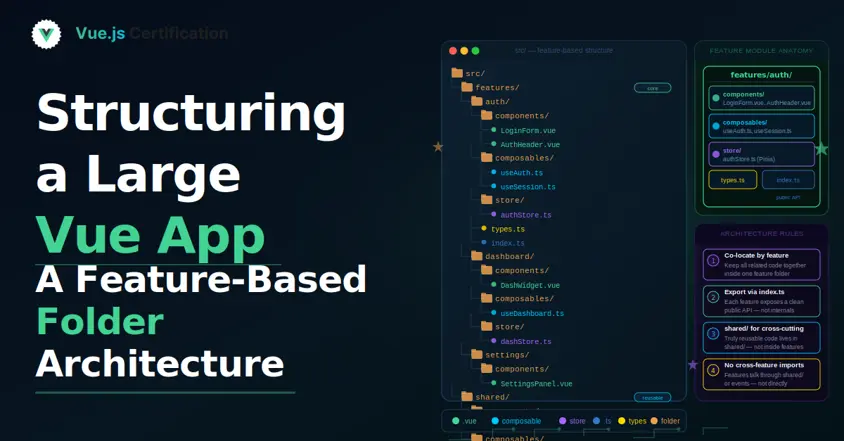
Structuring a Large Vue App: A Feature-Based Folder Architecture
Why the default components/composables/stores split breaks down at scale, and how a feature-first structure fixes it.

Reza Baar
Sep 9, 2026
React's New browser API: Rendering Components Only in the Browser
Learn how React’s new Canary browser API uses Suspense to render browser-only components without hydration mismatches or mounted-state workarounds.

Aurora Scharff
Sep 3, 2026
Building an MCP Server in Your Nuxt App
Building an MCP Server in Your Nuxt App with the MCP Toolkit. How to expose your Nuxt app's data and actions to AI assistants using @nuxtjs/mcp-toolkit, with tools, resources, and prompts.
Reza Baar
Sep 2, 2026