AbortController: Cancellation and Cleanup in JavaScript
AbortController does more than cancel a fetch. Learn how one signal cleans up event listeners, times out requests, and combines with AbortSignal.any().

Martin Ferret
September 22, 2026
Most developers meet AbortController once, while cancelling a fetch, and never open the door again. That is a shame, because cancelling a request is the smallest thing it does.
What it really provides is a standard way to say "stop, we are done here", and to say it to several things at once.
The mental model
There are two objects, and the split between them is the whole design.
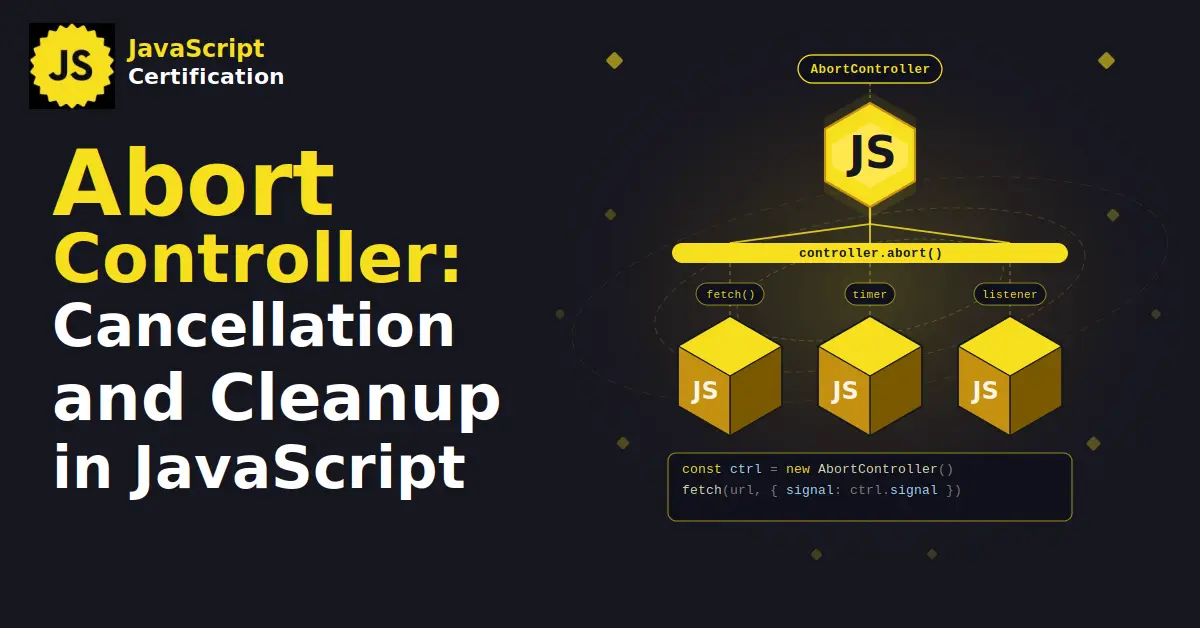
The controller is the remote. It has one button, abort(), and you keep it to yourself.
The signal is what you hand out. It is read only, so anything that receives it can react to the abort but cannot trigger it.
const controller = new AbortController();

fetch('/api/report', { signal: controller.signal });

controller.abort(); // the request stops
One controller can feed many consumers. Cancel once, everything listening stops. That is the part worth remembering.
AbortController and AbortSignal have been available across browsers since April 2018, so this is settled ground, not a new feature.
The use case nobody mentions: event listeners
Removing a listener has always been awkward. removeEventListener needs the exact same function reference, which means keeping named functions around just for the privilege of deleting them later. Miss one and you have a leak.
addEventListener accepts a signal option:
js
const controller = new AbortController();
const { signal } = controller;

window.addEventListener('resize', onResize, { signal });
window.addEventListener('scroll', onScroll, { signal });
input.addEventListener('input', onInput, { signal });

controller.abort(); // all three are removed
No stored references, no matching cleanup call per listener, no chance of forgetting the third one. In a component, you create the controller on mount and call abort() on unmount. That single line replaces the entire teardown block.
This is why it is worth thinking of AbortSignal as a cleanup primitive rather than a fetch option.
Timeouts, declared instead of wired
You could build a timeout by hand with setTimeout and abort(). There is a shorter way:
js
fetch('/api/report', { signal: AbortSignal.timeout(5000) });
AbortSignal.timeout() returns a signal that aborts itself after the given number of milliseconds. Nothing to clear, nothing to track.
And when two things could end the operation, combine them:
js
const signal = AbortSignal.any([controller.signal, AbortSignal.timeout(5000)]);
The result aborts as soon as the first of them does, and it takes its reason from whichever one won. "Stop if the user navigates away, or if this takes more than five seconds", in one line.
Both AbortSignal.timeout() and AbortSignal.any() are Baseline 2024, newly available. The oldest browser that supports them is Safari 17.4, which matters if you still target older iOS devices.
The trap: an abort looks like a failure
An aborted fetch does not resolve. It rejects, and it lands in the same catch block as a genuine network error.
Handle it as one and your user sees "connection lost" after clicking a cancel button they pressed on purpose.
The rejection is a DOMException whose name tells you what happened:
js
try {
  await fetch(url, { signal });
} catch (error) {
  if (error.name === 'AbortError') return;        // we cancelled, say nothing
  if (error.name === 'TimeoutError') showTimeout(); // the signal ran out
  else showNetworkError();
}
AbortError comes from a manual abort(). TimeoutError comes from AbortSignal.timeout(). The distinction is free and it is the difference between a silent cancel and a false alarm.
You can also pass your own reason to abort(), and read it back from signal.reason.
Making your own functions cancellable
Passing a signal into fetch is consuming an API that already supports cancellation. Accepting one is how you write a good API.
The signal exposes aborted, an abort event, and throwIfAborted(), which throws the abort reason if the signal has fired and does nothing otherwise. In a loop, that is all you need:
js
async function poll(check, { signal } = {}) {
  while (true) {
    signal?.throwIfAborted();
    if (await check()) return;
  }
}
The ?. keeps the signal optional, so callers who do not care about cancellation are not forced to build a controller. throwIfAborted() has been available across browsers since April 2022.
Once your own functions accept a signal, they compose with everything else: the same controller stops your polling loop, your fetches and your listeners.
What to take away
Stop thinking of AbortController as the fetch cancel trick. It is the platform's answer to "how do I stop things and clean up after myself", and it is the only answer shared by fetch, event listeners, streams and a growing number of Node APIs.
One controller per unit of work. Hand its signal to everything that unit starts. Abort once when the work is over.
The cleanup you keep forgetting stops being your responsibility.
Ready to prove your JavaScript skills?
Get certified in JavaScriptMore JavaScript articles
Keep learning JavaScript. Then get certified when you are ready.
Iterator Helpers: Lazy Pipelines in JavaScript
ES2025 added map, filter, take and drop to iterators. Learn how lazy pipelines skip intermediate arrays, handle infinite sequences, and where they do not help.
Martin Ferret
Oct 6, 2026
Proxy and Reflect: Metaprogramming in JavaScript
Learn how JavaScript Proxy and Reflect intercept object operations: the 13 traps and why Reflect matters.
Martin Ferret
Sep 8, 2026
Intl.NumberFormat and Intl.RelativeTimeFormat: The Traps
Intl.NumberFormat and Intl.RelativeTimeFormat replace your formatting library. Defaults, traps, and the 58x performance mistake to avoid.
Martin Ferret
Aug 25, 2026