How YouTube Works, and Why It Plays in One Second
How does YouTube start almost any video in about a second? Here's the architectural bet behind it, and why the real call still belongs to you.

Alex Garrett-Smith
August 12, 2026
Do you know what actually happens when you press play on a YouTube video? The honest answer is almost nothing, and that is the whole trick.
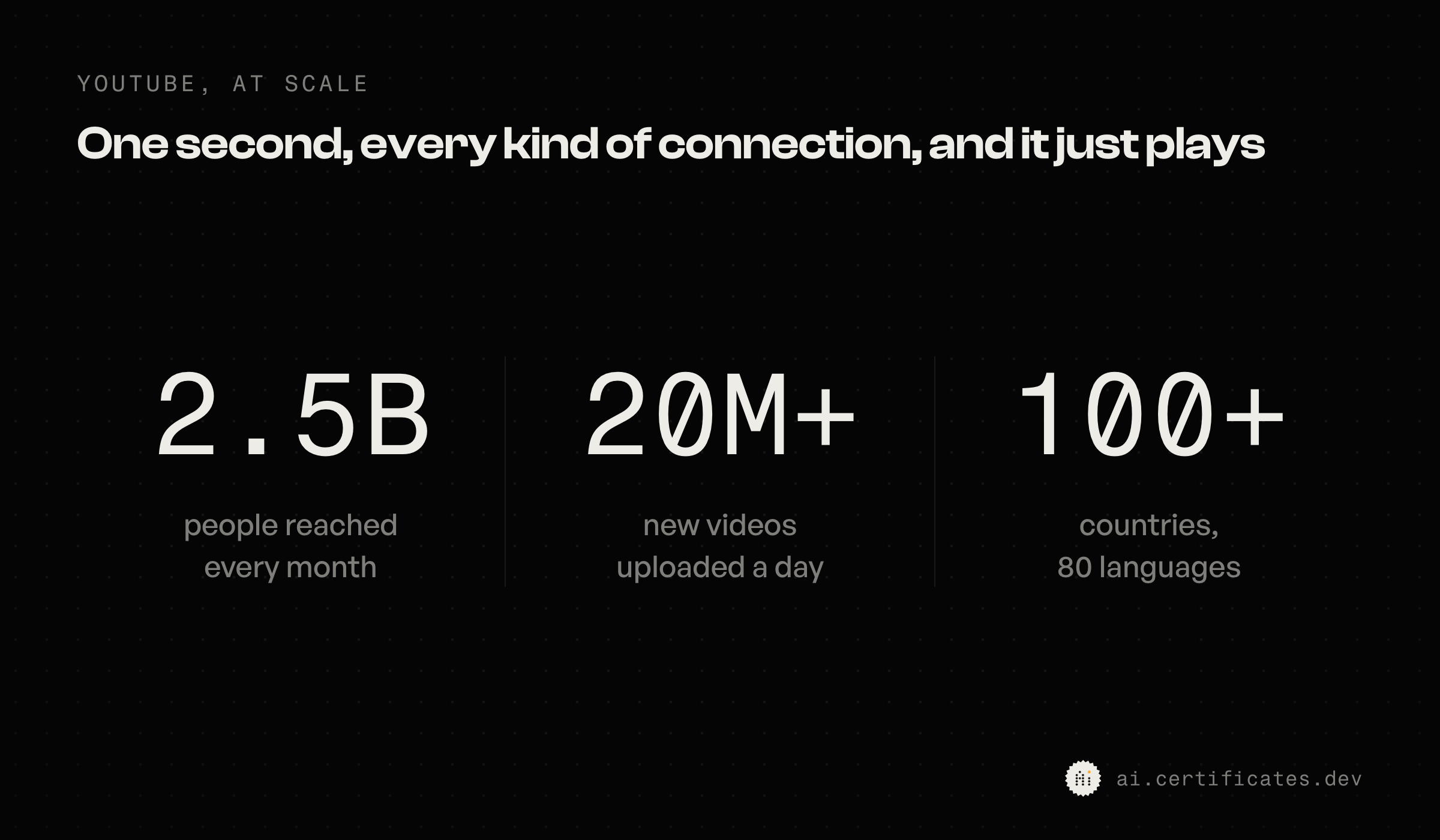
You click, and it starts in about a second. It does that for roughly 2.5 billion people a month, on gigabit fiber and on a phone with one bar in a train tunnel. More than 20 million new videos land every day, and it just plays.
Here is the part I still find beautiful, and I know that is a weirdly nerdy thing to call beautiful. In that one second, YouTube does not build your video. Most of the time it does not even go and fetch it from some giant YouTube data center. Almost all of the work already happened, long before you showed up.
That is one idea, repeated at every single layer. Do the expensive work early, and do it everywhere, so that the moment someone presses play there is nothing left to do. Let me show you what that looks like, in three moves.
How YouTube encodes every version before you press play
Before a single viewer hits play, YouTube encodes your upload into every resolution and codec it might need, so none of that conversion happens at watch time.
The second you upload, it does not store your file and wait. It transcodes it into a whole ladder of versions, from tiny 144p all the way up to 4K and 8K. Each one comes in a few different codecs, so the same video plays on a ten-year-old phone and a brand-new TV alike.
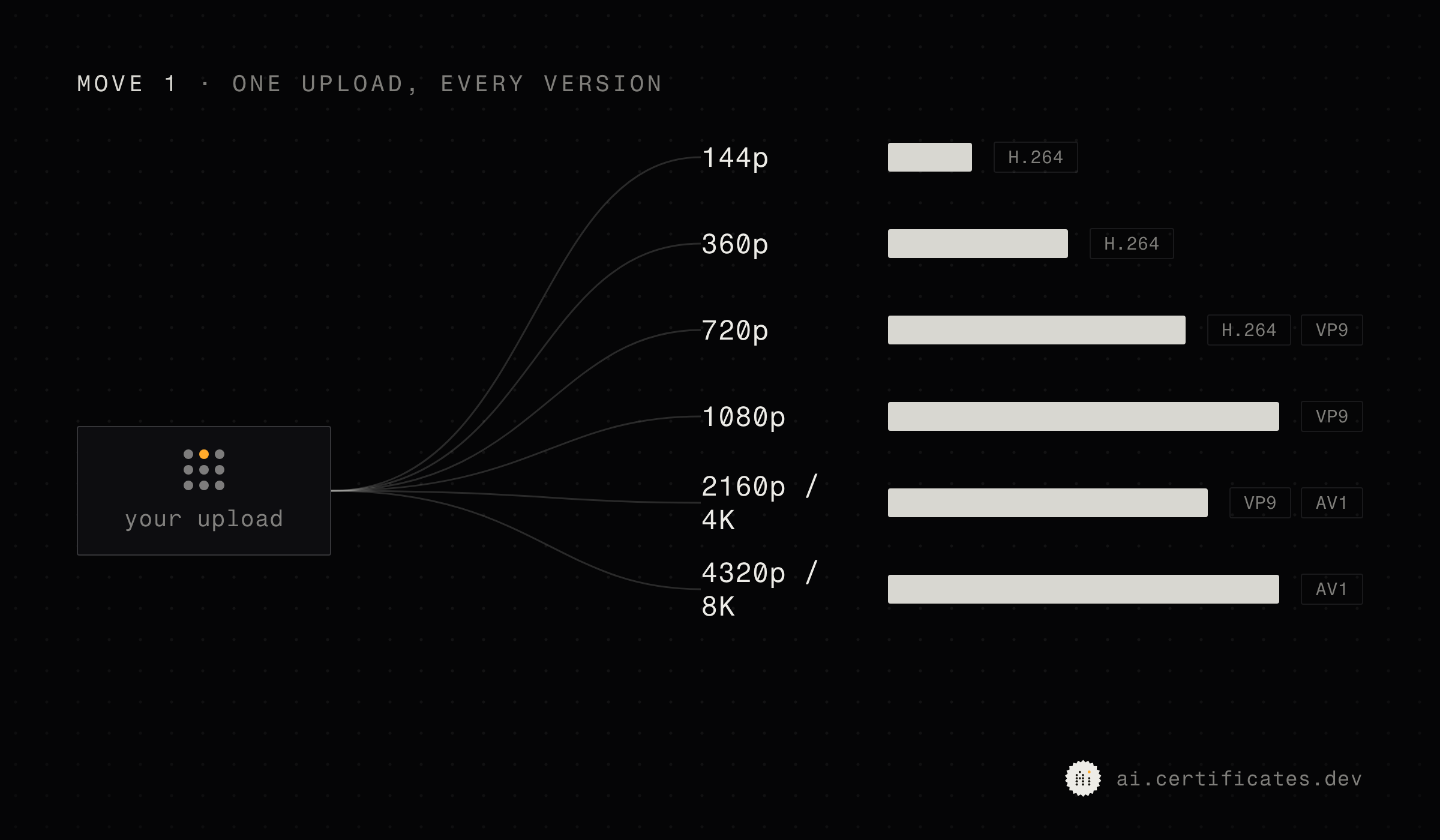
It also chops your video into chunks and encodes those chunks in parallel, so a long upload is ready in minutes instead of hours.
This is wildly expensive. So expensive that Google gave up on ordinary processors and built its own chip just for this job, the Argos video coding unit. Google's own engineers put it at roughly 20 to 33 times more efficient than the CPUs they used before.
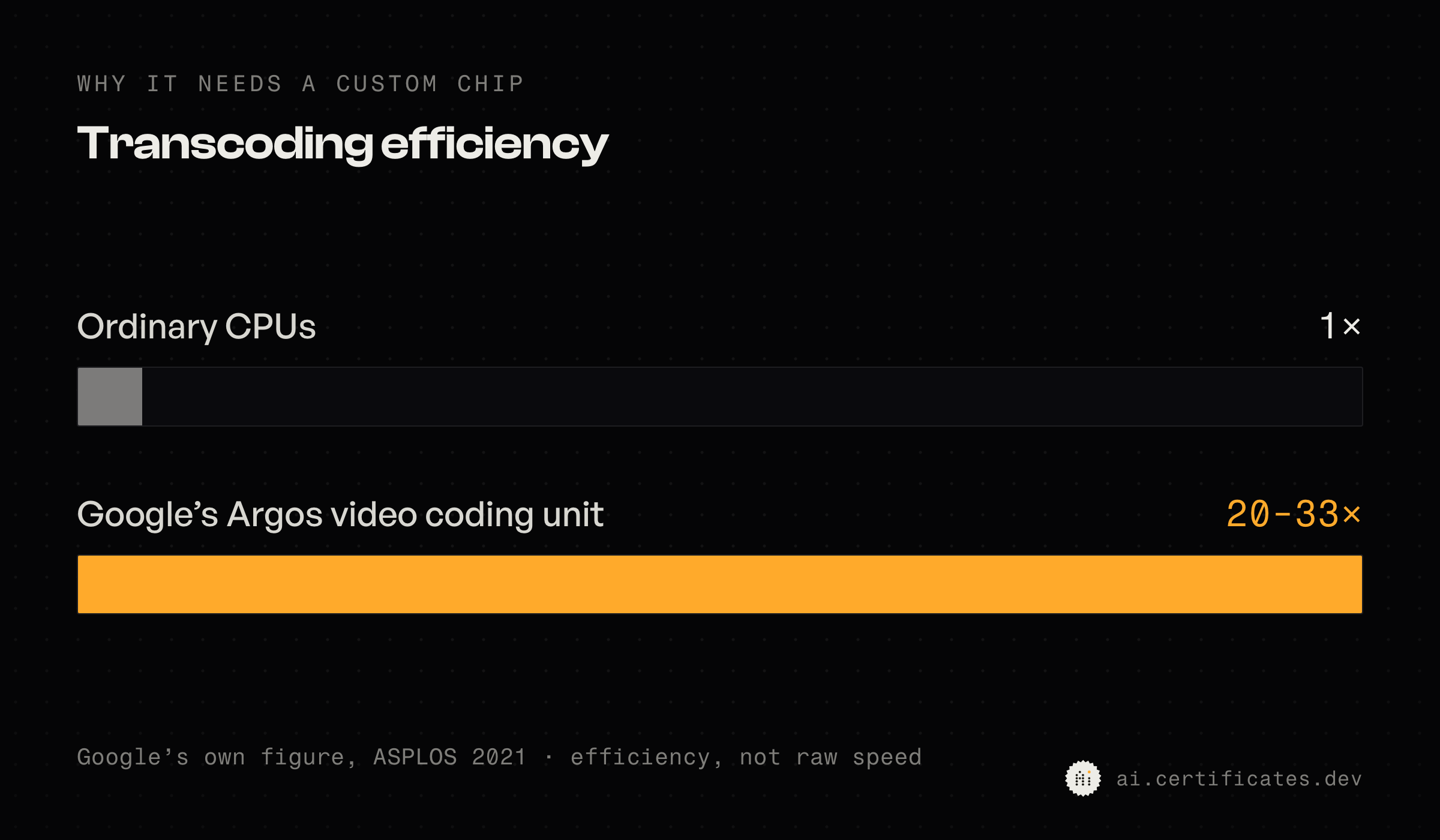
Bar chart: transcoding efficiency, ordinary CPUs at 1x versus Google's Argos video coding unit at 20 to 33x
Read that back. They designed custom silicon around a single task, because the up-front work was worth that much. They are spending storage and compute now to buy you speed later.
Second, it pushes those versions onto a shelf inside your internet provider, before you ask.
The popular stuff does not sit in one place waiting to travel to you. Google seeds copies out to caches that live physically inside internet providers' networks, right next to you. When you press play, 70 to 90 percent of the cacheable traffic never even leaves your provider.
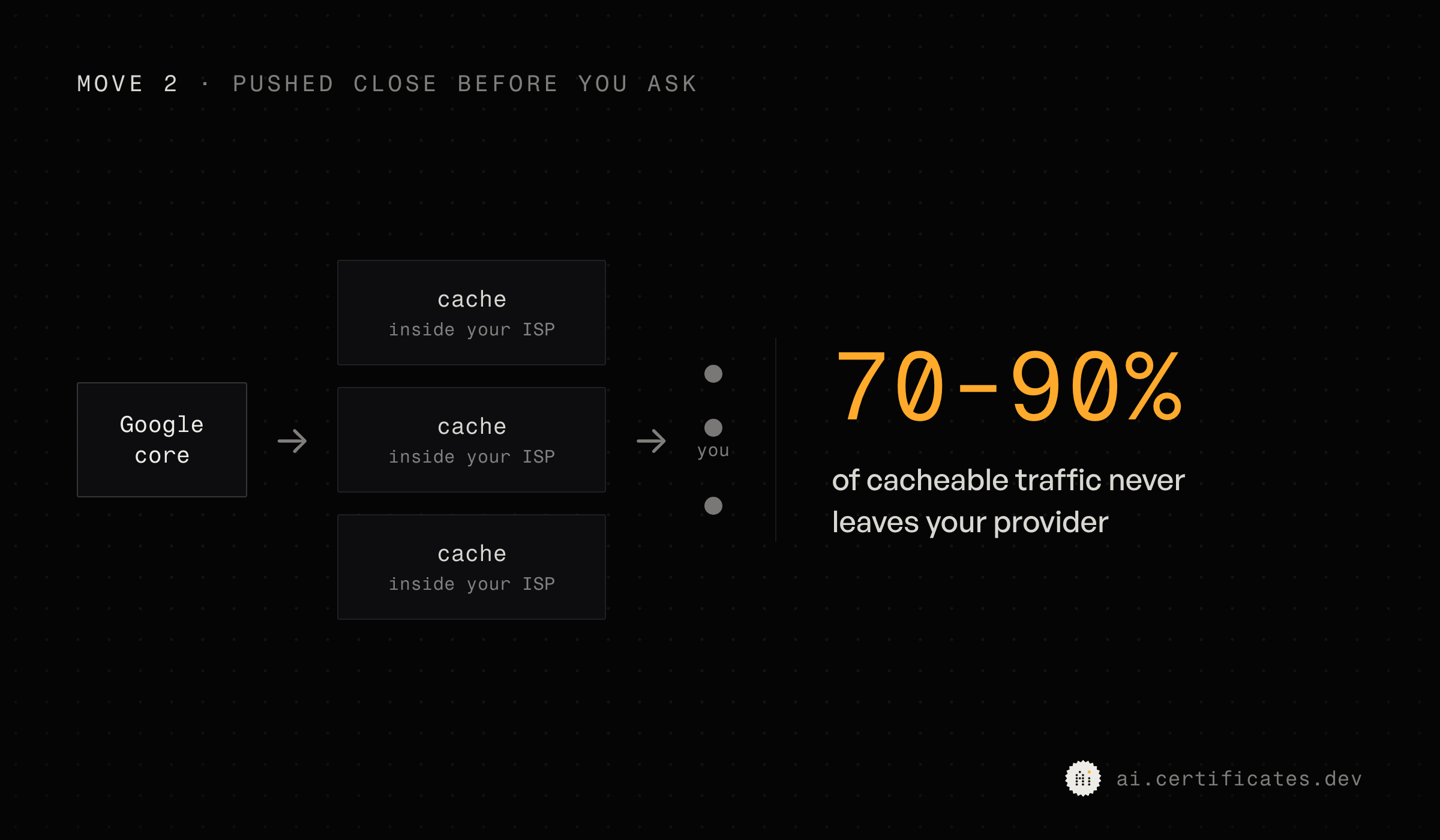
The real distance between you and YouTube is often a few miles, not an ocean. Ask for something rare and it gets pulled from further back, served to you, and usually cached along the way so the next person nearby gets it instantly too.
How adaptive bitrate lets your player pick the quality
With adaptive bitrate streaming, your device picks the video quality in real time, second by second, instead of YouTube's server deciding it for you.
This one is my favorite. The video is sitting there pre-cut into short segments at every quality level. Your player, the thing running on your own device, watches how fast the chunks arrive and how full its buffer is. Based on that, it picks the next segment's quality itself.
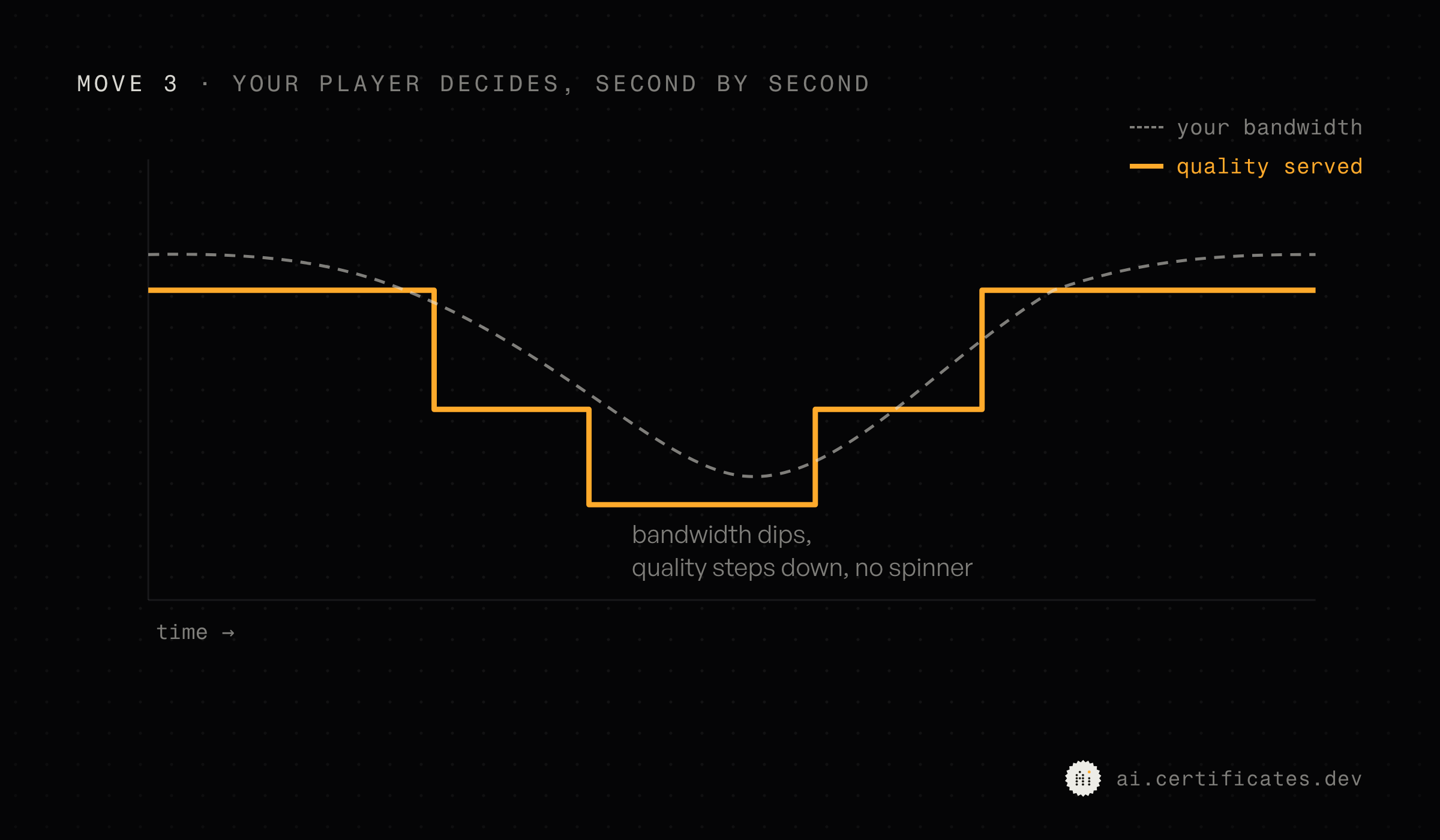
Your bandwidth drops on the train and it quietly steps down a notch before you ever see a spinner. It recovers, and the picture sharpens back up. YouTube's server decided none of that. It just handed over whichever chunk your player asked for. The server is dumb on purpose.
Why system design is a judgment call, not a pattern
So step back and look at the shape of it.
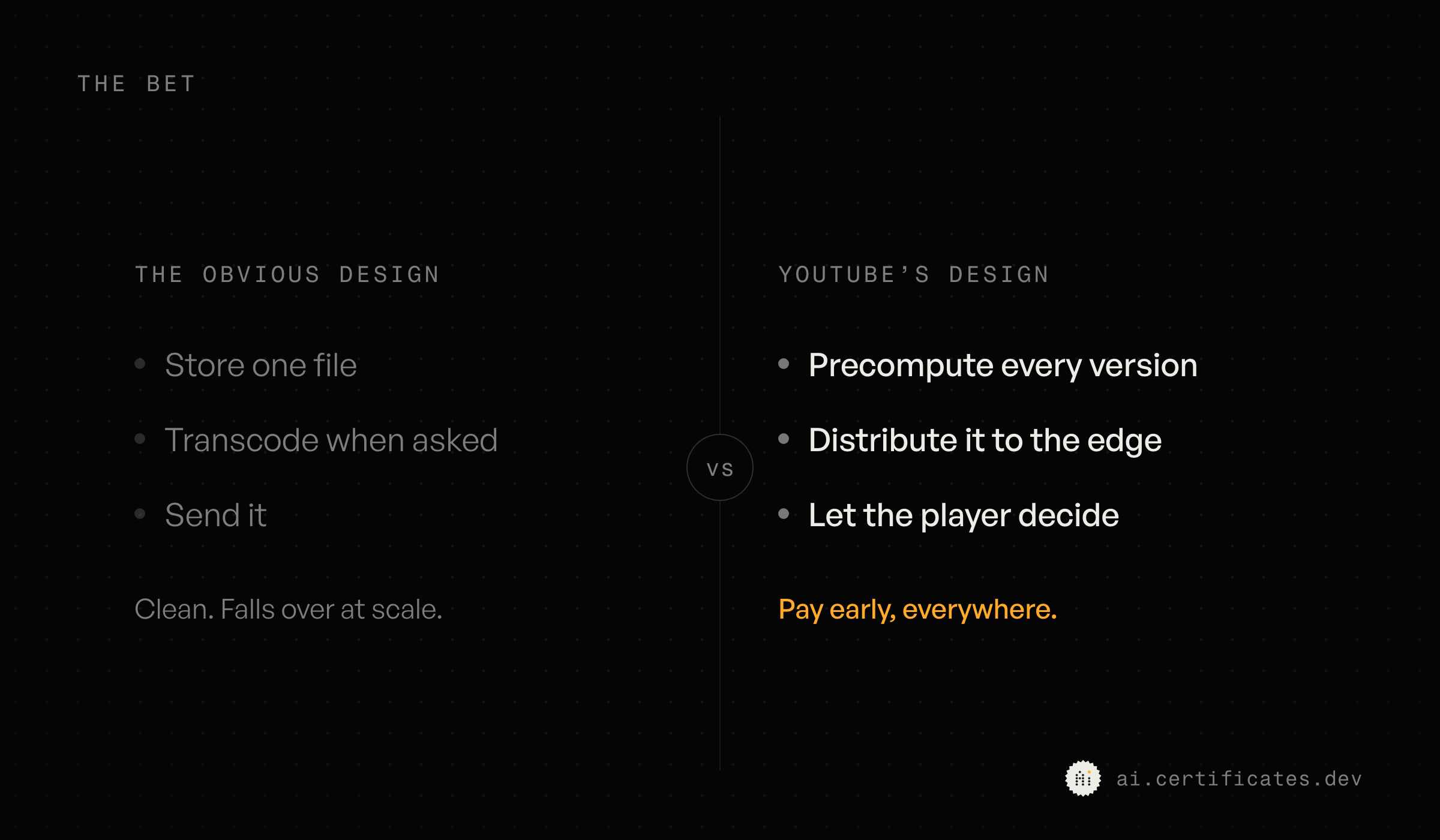
The obvious way to build this is the way most of us would sketch on a whiteboard. Store the one file, and when someone hits play, check their screen and their connection, transcode a version that fits, and send it. That design is clean, and it would fall over on its first real day at this scale, because now all that expensive work happens while the viewer sits there waiting.
So YouTube made the opposite bet. And bet is the right word, because they did not uncover the one correct architecture. They decided what they would never make you trade, which is your attention the moment you press play. Then they paid whatever it took to protect it, in storage, in compute, in a custom chip.
Point the same problem at a different team and the right answer can flip. Think of an internal tool nobody waits on, or an archive opened once a year where storage costs a fortune. There, paying everything upfront would be the wrong call.
That is the whole thing about architecture. The pattern is never the hard part. The hard part is reading which trade your problem is actually asking for, and that is a read on what matters, not something you can look up.
This is the part I actually care about. Any competent developer can wire up a transcoder or a cache, and an AI agent will write you either one cleanly this afternoon. Deciding which one the product should bet on is the call that stays yours.
So next time a video starts before you have even let go of the mouse, remember that it is a thousand decisions that already happened. The tools got faster. Choosing which ones to make is still the fun part, and still the job.
That judgment, the architecture call underneath all three of those moves, is the exact thing we built the AI-Proficient Developer Certification to measure. It drops you into a live codebase with a real agent and scores how you steer it, in whatever stack you already work in.
If you want to see where your own judgment stands, get on the waitlist and we'll let you know the moment it opens.
Frequently asked questions
How does YouTube work?
In four steps. You upload a video, YouTube encodes it into many resolutions and codecs, it stores the master copy and pushes popular renditions to cache servers close to viewers, and when someone presses play their own player streams it segment by segment, picking the quality that fits their connection.
How does YouTube start playing a video so fast?
Because almost none of the work happens when you press play. YouTube encodes every version of the video ahead of time and caches the popular ones inside your internet provider's network, so the first chunk is often a few miles away, not an ocean away.
What is adaptive bitrate streaming?
It's the video split into short segments at every quality level, and your player, not YouTube's server, choosing which quality to pull next based on how fast the chunks arrive. When your bandwidth drops, the player steps down a notch before you ever see a spinner.
What video codecs does YouTube use?
Mainly H.264, VP9, and AV1. YouTube encodes each video into several codecs so it can serve the most efficient one your device and browser support, from a ten-year-old phone to a new TV.
Where does YouTube store its videos?
In two places at once. The master files live in Google's storage, and copies of the popular renditions get pushed out to cache boxes that sit physically inside internet providers' networks. Most cacheable playback never leaves your provider.
More certificates.dev articles
Get the latest news and updates on developer certifications. Content is updated regularly, so please make sure to bookmark this page or sign up to get the latest content directly in your inbox.
Iterator Helpers: Lazy Pipelines in JavaScript
ES2025 added map, filter, take and drop to iterators. Learn how lazy pipelines skip intermediate arrays, handle infinite sequences, and where they do not help.

Martin Ferret
Oct 6, 2026
Debugging Suspense with the React Suspense Panel
The Suspense panel in React Developer Tools shows which boundary suspended, what it was waiting for, and the order your page revealed its content.

Aurora Scharff
Oct 1, 2026
Building Reusable Validators in Angular Signal Forms
Learn how to create reusable custom validators with Angular Signal Forms, with practical examples for building flexible and maintainable form validation.
Alain Chautard
Sep 29, 2026